
Bulk Data Loading
The Bulk Data Import page allows you to upload large amounts of data into Samurai at once. This feature is especially useful when you’re setting up a new system, onboarding multiple assets, or migrating data from another platform.
Each import section (such as Assets, Areas, or Work Orders) includes its own import template and validation rules to help ensure your data is formatted correctly.
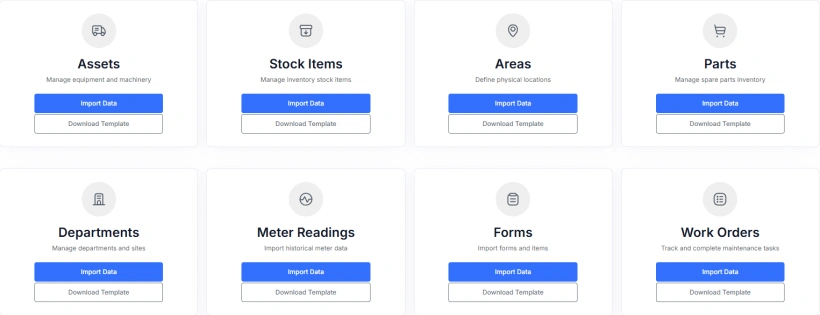
How the Bulk Import Works
Use this page (Data Loading in the side menu) to upload data in bulk and accelerate setup, onboarding, or system migration. Each import type includes:
- Templates showing the required column structure
- Field definitions for each data type
- Validation rules to check data accuracy before importing
How to Use
1. Download the Import Template
Each import section provides a downloadable Excel or CSV template with the correct column headers. Use this template to prepare your data with the expected structure.
2. Review Required and Optional Fields
Click the Required Columns and Optional Columns panels to view which fields must be included and which are optional.
3. Reference Lookup Values
Some fields (such as Departments, Asset Types, or Statuses) must match existing values already in Samurai. Use the Reference Tables link in the sidebar to view valid options and ensure your data matches exactly.
When entering data in the template, the lookup field values are typically the name of the field (ie for DepartmentId, enter the Department Name) Samurai will auto-convert these named values to Ids when the import file is validated.
4. Upload Your File
When your file is ready, select Import Data, then drag and drop or browse to upload your file. The importer will validate your data and display progress as each record is processed.
Tips
Date format: All dates must be in DD/MM/YYYY format.
Required fields: Ensure all required fields are filled. Avoid leaving blank rows.
Lookup fields: Double-check that lookup values (like cost centres or departments) exactly match those in Samurai, including spelling and capitalisation.
Templates: If you’re unsure about structure, always start with the provided template to prevent formatting issues.