
Dispose an Asset
When an asset is marked as Disposed, it is considered removed from active use in Samurai. Disposing an asset prevents it from appearing in normal operational lists and stops all associated maintenance activity.
Key effects of marking an asset as disposed:
- A Disposed Asset will no longer appear in the Asset List unless the Disposed filter is enabled.
- You can no longer add Work Orders to a disposed asset.
- Scheduled Work Orders will no longer be automatically generated for disposed assets.
- Any Recurring Work Orders linked to the asset are stopped.
How to Dispose an Asset
- Go to Assets & Areas → Assets
- Open the asset record you wish to dispose.
- Go to the General tab.
- Toggle the Asset Disposed flag to mark the asset as disposed.
- Change the Disposal Date
- Add any disposal notes such as who the asset was sold to.
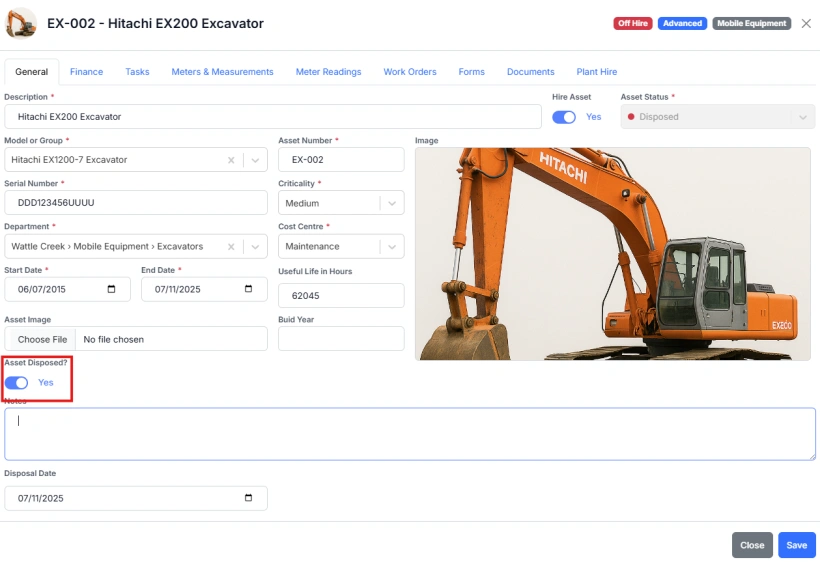
Once disposed, the asset remains in the system for historical and reporting purposes but is excluded from operational workflows and scheduling.