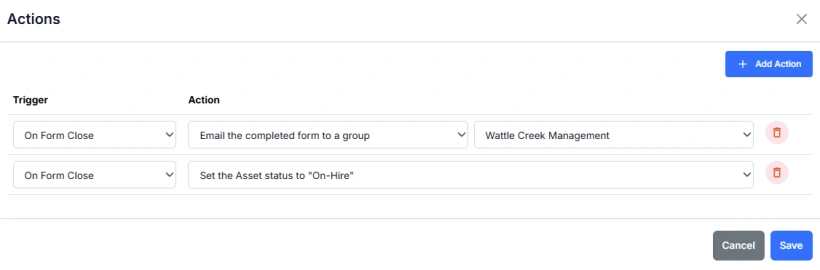
Form Actions
Form Actions allow you to automate specific processes that occur when a form is completed or closed. Actions are made up of two parts:
- Trigger – the event that activates the action
- Action – what the system does when the trigger occurs
Triggers
A trigger defines when an action takes place.
Currently, the available trigger is:
- On Form Close – activates when a user finishes and closes the form (for example, after submitting it in the mobile app).
Actions
An action defines what happens when the trigger event occurs.
Available actions include:
- Email the completed form to a group – automatically sends a copy of the completed form to a selected group (for example, “Wattle Creek Management”).
- Set the Asset Status – updates the status of the associated asset (for example, set to “On-Hire” after the form is closed).
Adding and Managing Actions
- Open the Actions tab in the Form Builder.
- Click + Add Action to create a new rule.
- Select a Trigger (e.g. On Form Close).
- Choose an Action from the dropdown.
- Configure any additional options, such as the recipient group or asset status.
- Click Save to apply the changes.
Each form can have multiple actions, allowing you to automate notifications, updates, and workflow steps based on form completion.
Form Actions help streamline communication and system updates ensuring that when a form is submitted, the right people are informed and related records in Samurai stay up to date automatically.