
Asset Categories
Asset Categories are an optional asset attribute, enabled in the App Settings. They provide reporting flexibility and a higher level of classification above Asset Classes, primarily for asset grouping and KPI analysis.
For example:
- Category: Ancillary Equipment
- Classes: Grader, Bulldozer, Scraper
Individual Assets of these Classes can be independently assigned to a Category.
How Asset Categories work
An Asset Category is an optional and flexible asset attribute, primarily used to group similar Asset Classes that share operational or reporting characteristics. Categories are not linked to and do not replace Asset Classes – they sit above them as an additional layer of abstraction.
This means:
- Multiple Assets can belong to the same Category, regardless of their Class
- Assets of the same *Class can belong to different Categories**, facilitating greater reporting flexibility
- Categories can provide broader reporting groupings
- Asset data can be analysed at a higher level without losing detail
Common Uses of Categories
Asset Categories are commonly used for:
- Providing broader or tailored reporting groupings
- Filtering Assets and Work Orders at a broader level
Enabling Asset Categories
- From the side menu select Settings → App Settings
- From within the ASSETS section, toggle the Show Asset Category to Yes
Add an Asset Category
- From the side menu select Reference Tables → Models & Groups → Category
- Select + Add Category
- Enter the Category name.
Assign a Category to an Asset
- From the side menu select Assets & Areas → Assets
- Select the Edit button of the Asset
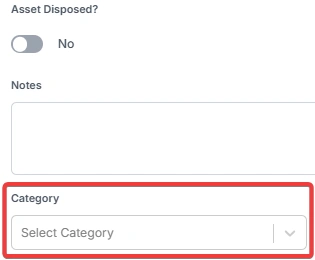
- On the General tab, select the Category in the dropdown menu.
Assign targets to a Category:
- From the side menu select Reference Tables → Models & Groups → Targets
- Search for the Category
- Press the Edit icon for the Category
- Amend the Targets to the desired level
- Toggle Include in KPIs? to Yes
Targets are included in KPIs by default. Toggle this to No if you do not wish for these Categories to show in KPI reports.
Important considerations
- Asset Categories should be defined before assigning KPI targets
- Renaming a Category updates its display across reports and filters
- Deleting a Category may be restricted if an Asset is assigned
This structure provides flexible, high-level reporting while preserving detailed Asset classification.