
Task Scheduling
Task scheduling in Samurai determines how and when Work Orders are automatically created for each Asset Task. Schedules ensure that preventative maintenance occurs at the right intervals, based on time or actual equipment usage.
You can configure a task’s schedule from the Scheduling tab when editing a task.
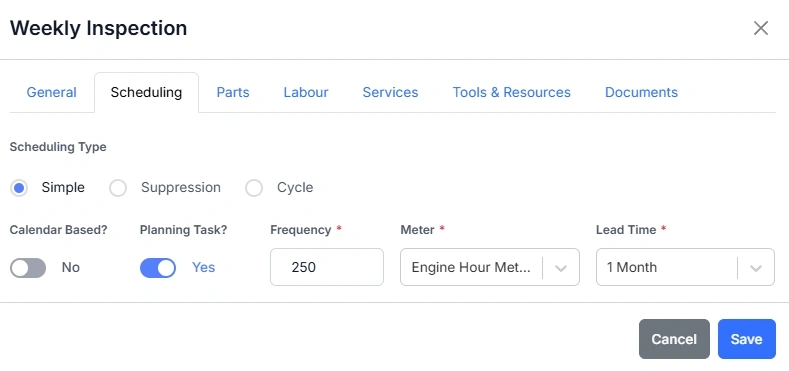
Key Scheduling Fields
| Field | Description |
|---|---|
| Calendar Based | Toggle Yes to schedule by time (e.g. every 30 days), or No to schedule by usage (e.g. every 1000 hours). |
| Planning Task | Enables automatic creation of Work Orders to form the future work plan. |
| Frequency | The forecast number of days or usage units between each Task. |
| Meter | The usage meter that drives scheduling (e.g. Engine Hour Meter (HR)). |
| Lead Time | How far in advance the Work Order should be created before it needs to be done. This is to give time to procure the parts and organise the resources needed to complete the work. |