Setting Up Email Groups
Email Groups are used to create distribution lists for sending notifications or completed forms from Samurai to multiple recipients at once. This is an administration function and can include both internal and external contacts.
Purpose
Email groups allow you to:
- Automatically send completed forms or reports to a set of people
- Notify teams, managers, or suppliers about key maintenance events
- Share information with external contractors who do not have Samurai user accounts
Creating an Email Group
- Open the Email Groups page in the Administration area.
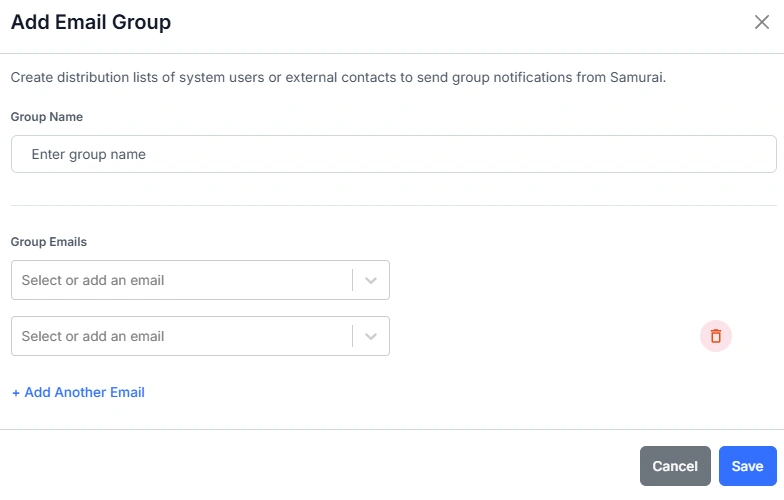
- Click Add Email Group.
- Enter a Group Name — this identifies the group throughout the system.
- In the Group Emails section, select or add one or more email addresses.
- You can include individual Samurai users, external contacts, or Microsoft Outlook group addresses.
- To add additional recipients, click + Add Another Email.
- Click Save to create the group.
Using Email Groups
Once created, email groups can be selected in areas such as Form Actions to automatically send completed forms or notifications to everyone in the group. This helps ensure the right people — internal staff or external contractors — receive important updates without manual intervention.